Official
How to create a Discord Bot
Updated Sep 24, 2026
To get started with Build a Bot, you firstly need to create your Discord Bot via the Discord Developer Portal
-
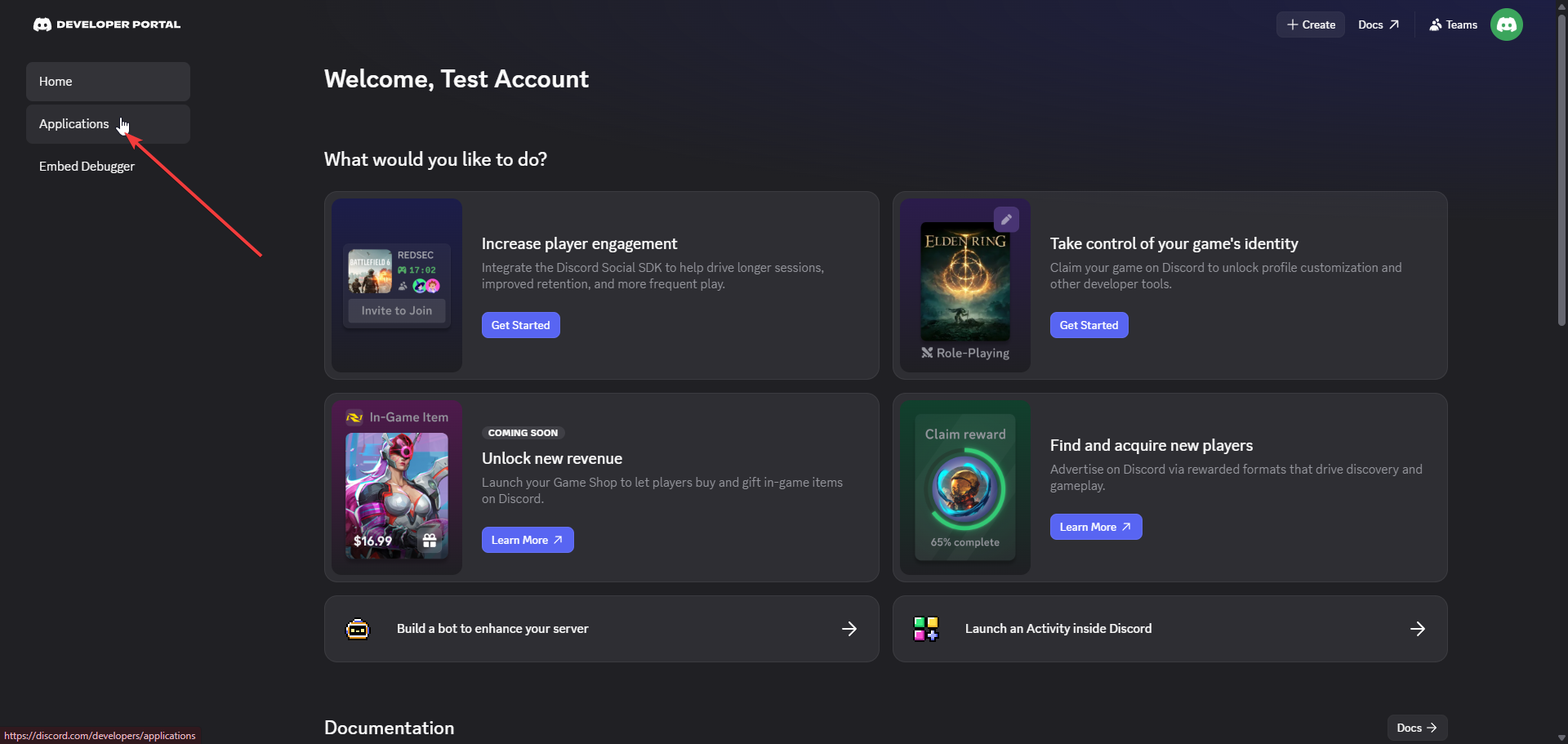
Go to Applications
-
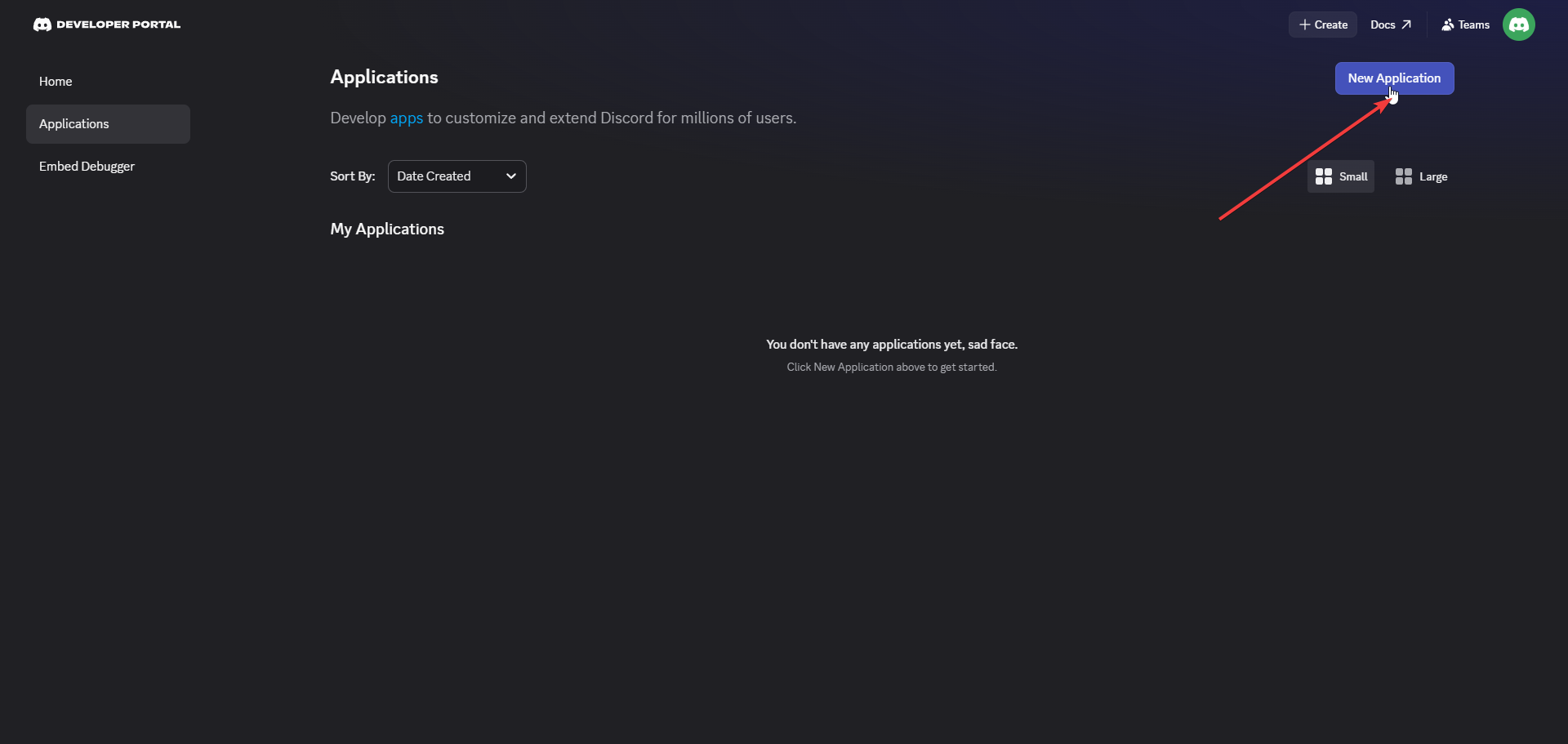
Create your New Application
-
Choose a Application Name, Accept Terms and Complete any Captchas
-
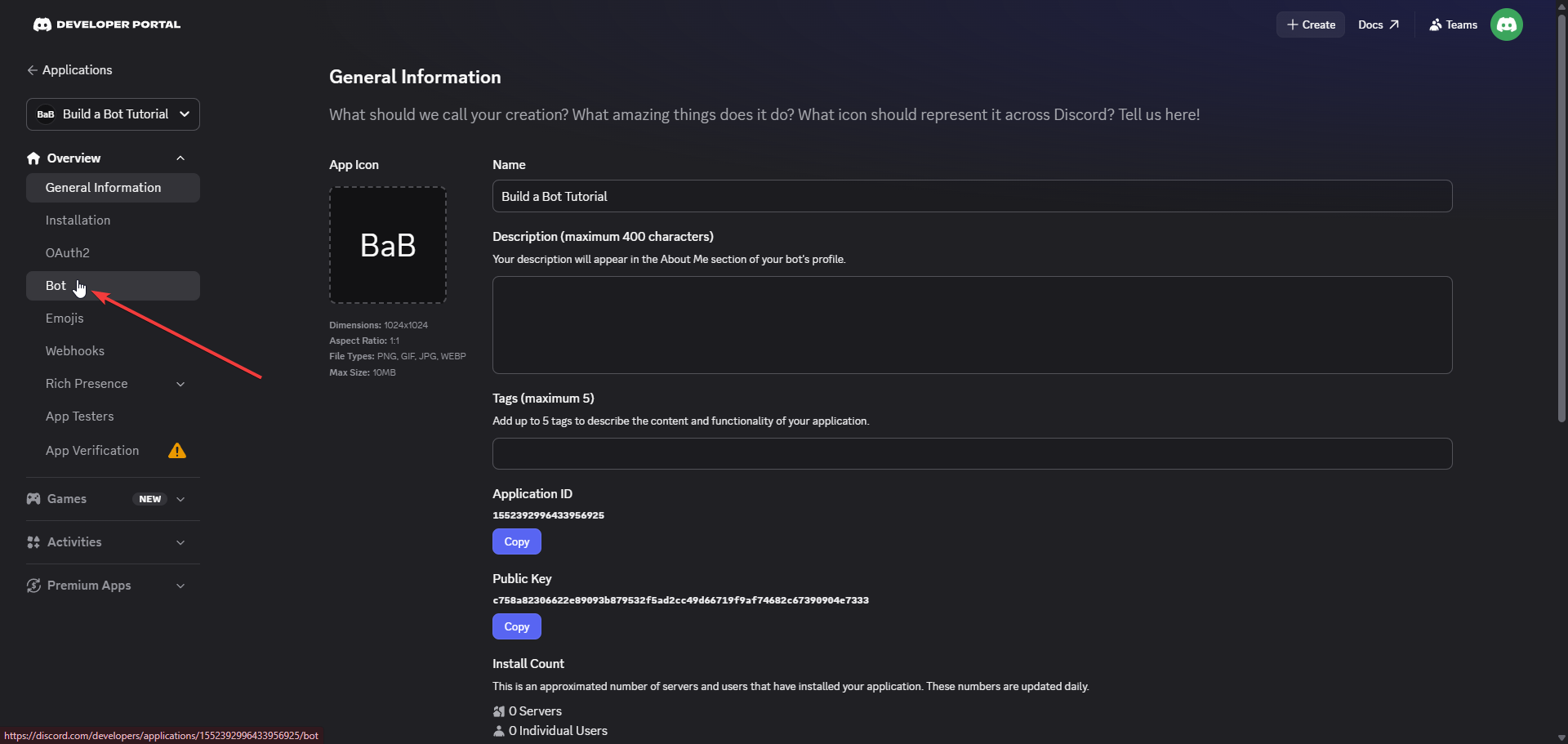
Once you have successfully created your Discord Application, you can then Edit your Bot
-
This is done by clicking the Bot button on the side panel.
-
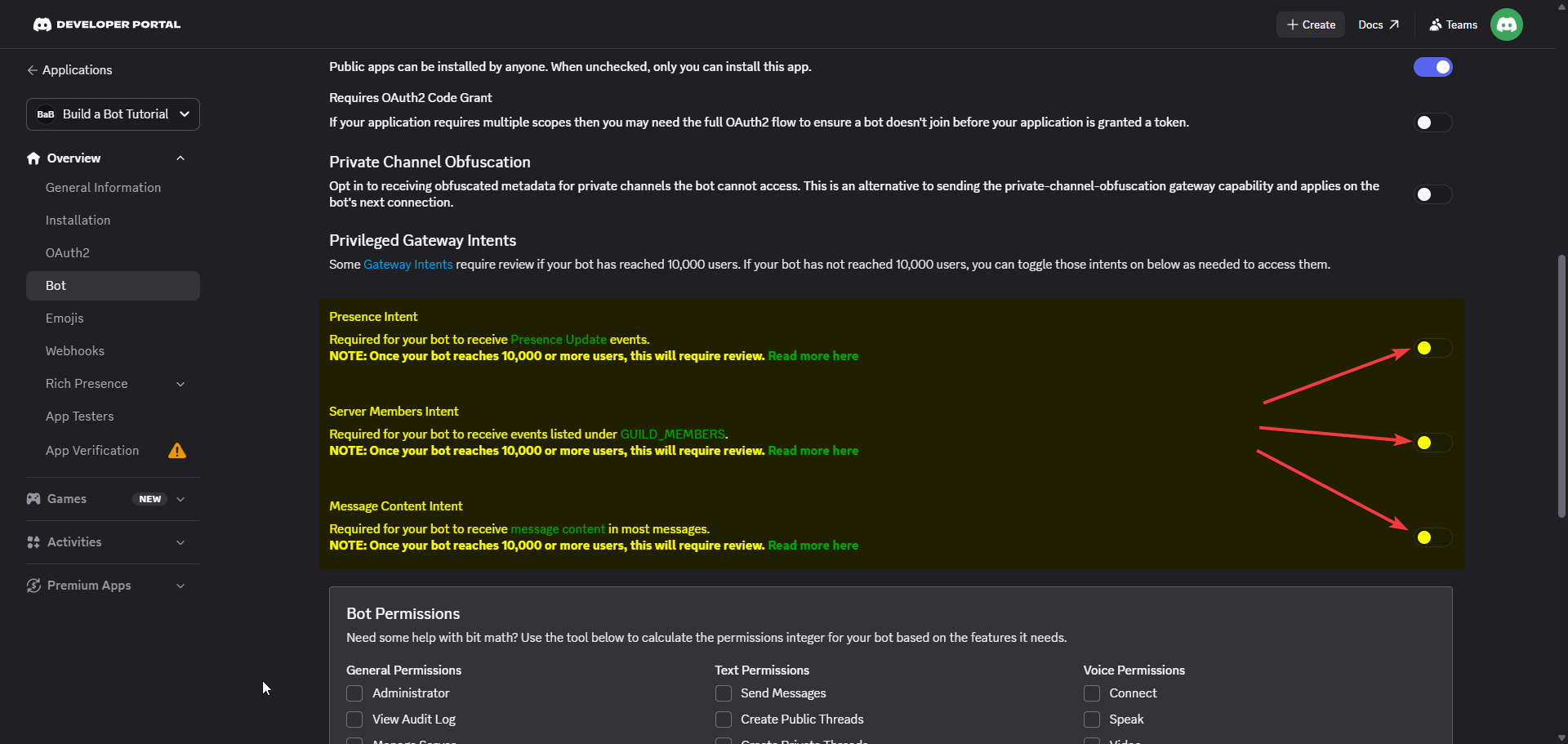
You will also need to Scroll down until you find Privileged Gateway Intents
-
Then you need to Enable all three of the Intents (Presence, Server Members and Server Content)
-
This will allow your Discord Bot to fully start once created on our website.
-
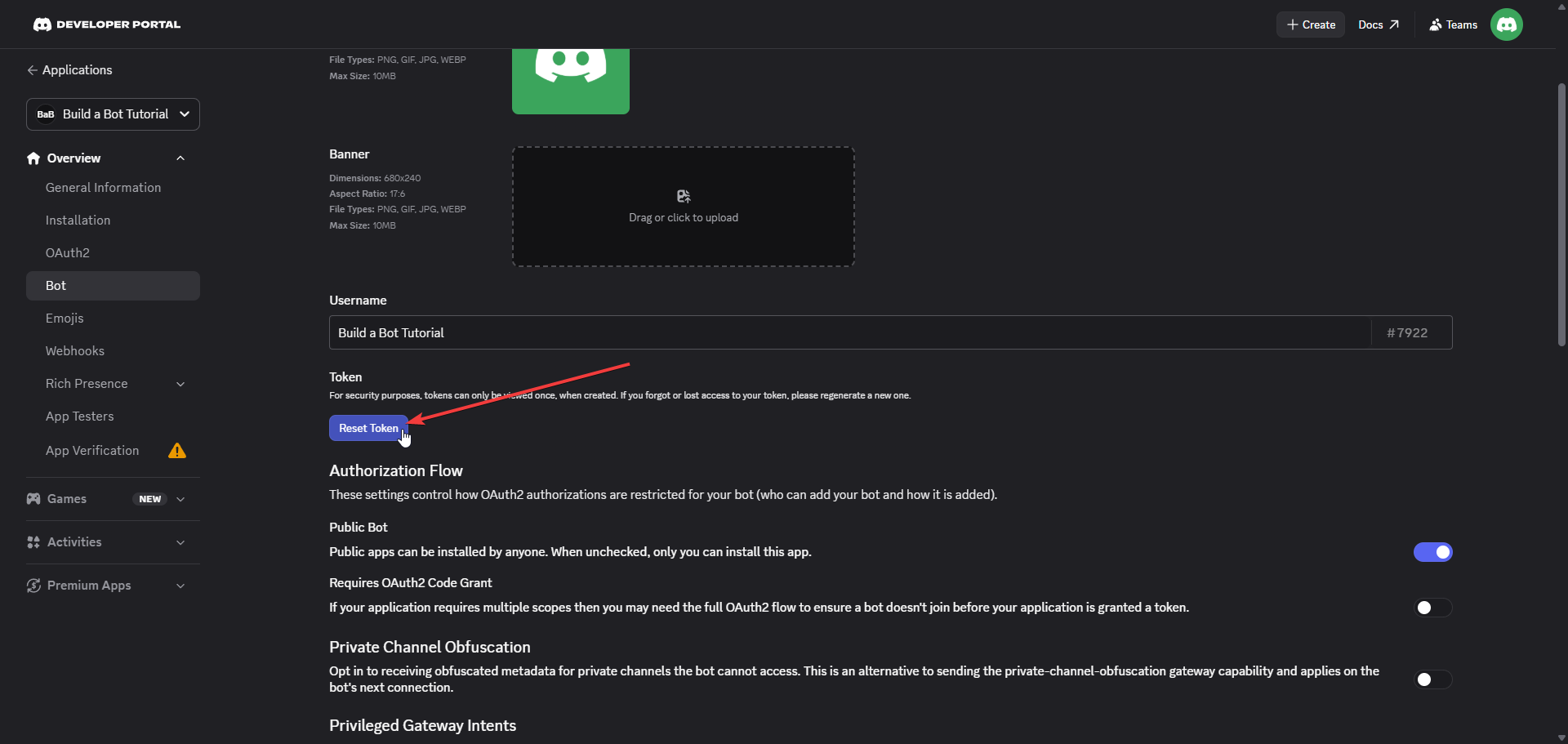
Your next step is to reset your bot token by scrolling up on the same page you are on and clicking Reset Token
-
Once you have reset your Bot Token, you will need to Copy this token.
-
Do not share this with anyone or your Bot could become compromised.
-
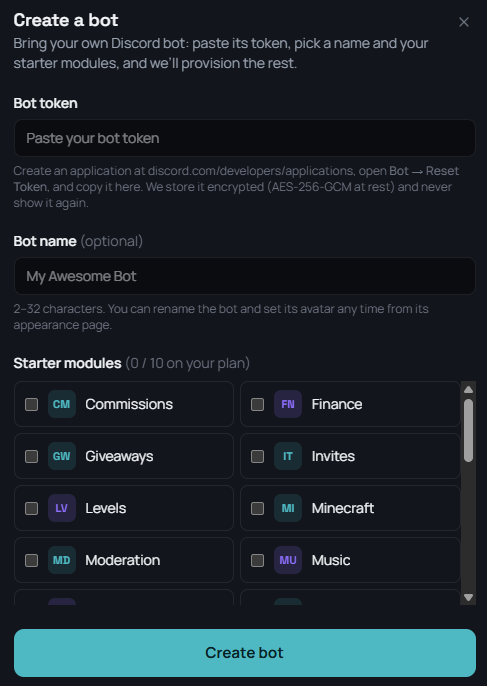
When you have copied your Bot Token, you will need to Create your Bot on our website.
-
Then enter your Bot Token, Bot Name and Select Modules you want to install on your bot.
Congratulations, you have successfully created your very own Discord Bot
- You can now Invite your Discord Bot to your Discord Server